

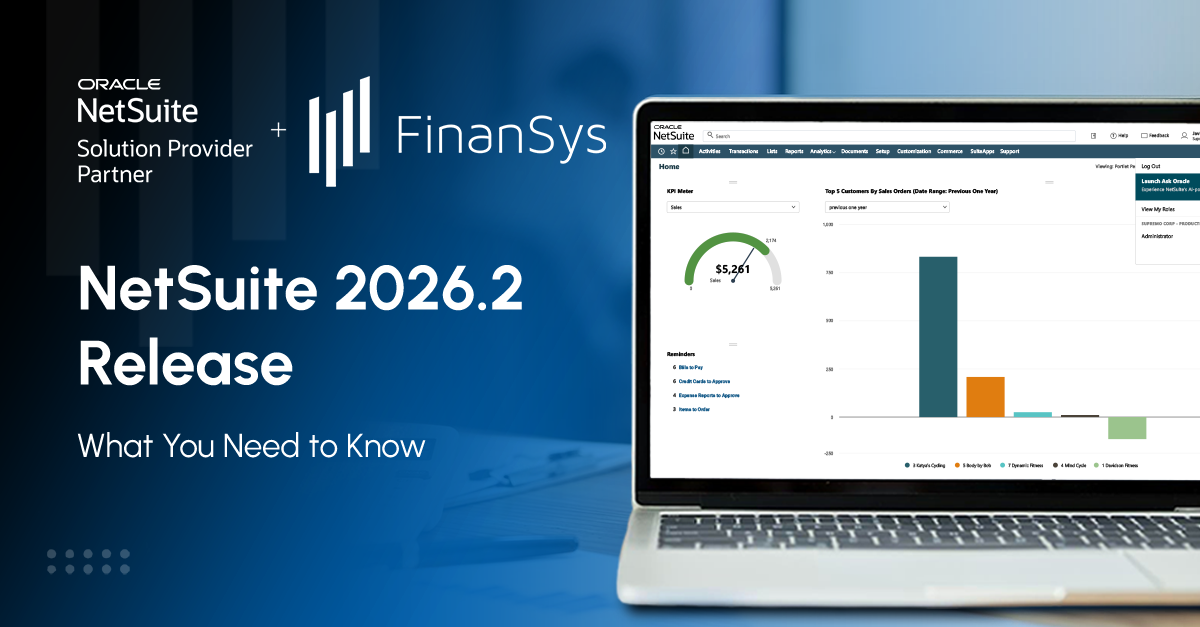
Oracle announced NetSuite 2026.2 on 15 July 2026. The release adds conversational AI to the suite, changes how bank reconciliation is submitted, and alters several behaviours that customisations and integrations depend on. Here is what your team needs to know before your account is upgraded.
Key Takeaways
- NetSuite 2026.2 was announced on 15 July 2026. Accounts are upgraded on a staggered schedule, running from August into October 2026.
- The release begins the rollout of NetSuite Next, including the Ask Oracle assistant. At launch this is available only in the United States and Canada only, with other countries to follow. UK and European customers will receive the rest of 2026.2 on schedule.
- Check your upgrade date in the New Release portlet on your dashboard, then request a Release Preview account and test before the date arrives.
- FinanSys can review your Release Preview, advise on which new features to enable, and help you avoid disruption during the upgrade.
NetSuite 2026.2 at a Glance
2026.2 is the second of the two scheduled version upgrades NetSuite delivers each year, following 2026.1. Oracle applies these updates automatically. Your upgrade date is set by data centre and customer group and is published in the New Release portlet on your NetSuite dashboard. Oracle reports that more than 44,000 customers use NetSuite, and every account moves to the new version within the release window.
Two things sit outside that schedule and are easy to miss. Oracle also delivers monthly minor releases between the scheduled upgrades, and SuiteApps are released separately on their own timetable. Several of the changes described below arrived that way rather than on your upgrade date, so the release notes are worth revisiting after you go live, not only before.
Where 2026.1 introduced early access to the redesigned interface and the first AI assistant features, 2026.2 turns several of those into production behaviour changes. The functional themes are:
- Banking and reconciliation workflow changes
- Transaction query behaviour changes in SuiteQL
- Customisation impact from assemblies and bills of materials
- AI and analytics additions
- Compliance and localisation SuiteApp updates
Not every feature appears in every account. Availability depends on your licences (for example, Advanced Bill of Materials, Fixed Assets Management, Compliance 360), your configuration, and, for NetSuite Next, your country. Use the New Release portlet to confirm your upgrade date and open the release notes for your account.
Headline Changes in NetSuite 2026.2
These are the behaviour changes most likely to affect day-to-day work.
SuiteQL default sort order has changed. Results now sort by Transaction.tranDate rather than Transaction.tranDisplayName. Oracle made the change to prevent performance problems, but any query, report, or integration that does not include an explicit ORDER BY clause will return rows in a different sequence. Add explicit sort clauses to saved searches, SuiteAnalytics workbooks and scripted queries before your upgrade date.
Assembly components are no longer stored on hidden transaction lines when Advanced Bill of Materials is enabled. This applies to sales orders, invoices, credit memos, and related transaction types. Scripts, integrations, and saved searches that read those hidden lines will fail or return incomplete data.
Bank reconciliation now submits automatically. On the Match Bank Data page, manual matches and cleared transactions are submitted for reconciliation as soon as the action is taken. The separate submission step on the Review subtab has gone, and the buttons now read ‘Match and Submit’, and ‘Clear and Submit’. If your finance team splits matching and approval between roles, review those permissions before the upgrade.
Reconciliation gains a Match Suggestions subtab, which replaces the Review subtab and brings likely matches into the workflow before you reconcile. Alongside it, NetSuite can now suggest creating and applying a payment when an imported bank transaction corresponds to an open invoice or an open payable. Previously only the receivables side of this existed, on the Automated Cash Application page. Both preferences, Generate Match Suggestions for Accounts Receivable and Generate Match Suggestions for Accounts Payable, are enabled by default, so this will appear for your team whether or not anyone asks for it. Suggestions cover one-to-one matches for the full outstanding amount only. Partial payments, and one payment covering several invoices, are not supported.
Reconciliation audit detail has improved. Bank reconciliation pages now show Matched By and Submitted By columns, so you can tell a system-generated match from a user-created one and filter by either. System notes also track when a transaction was cleared, submitted, unmatched, reconciled, or unreconciled. The Reconciliation Status and Date Reconciled fields are available in transaction searches and reports. This is useful evidence for auditors and worth showing your finance team.
The default Excel export format has changed from .xls to .xlsx for lists, saved searches, and reports. If you have downstream tools or macros that expect .xls files, test them.
There is a new IFRS 18 Standard Income Statement Layout. IFRS 18 replaces the presentation requirements of IAS 1 and applies to annual reporting periods beginning on or after 1 January 2027, so this is preparation rather than an immediate change. The layout presents income statement information in the IFRS 18 categories of operating, investing, financing, income taxes, and discontinued operations, and can be customised in the Financial Report Builder. Your organisation decides how its accounts are classified.
Your storefront is not upgrading yet. SuiteCommerce, SuiteCommerce MyAccount, and SuiteCommerce Advanced are versioned separately from the core NetSuite platform, and their 2026.2 versions have not been released. When your account moves to platform 2026.2, your storefront stays where it is, and the SuiteCommerce 2026.1 release notes stay relevant. Themes and extensions continue to be released on their own schedule.
This does not mean ecommerce teams can ignore the upgrade. Pricing, inventory, and transaction data feeding the storefront all come from the platform, and several of the changes above touch that data. Test the flow into your site even though the site itself is unchanged.
NetSuite Next, Ask Oracle, and the Redesigned Experience
NetSuite Next is the redesigned user experience, with AI built into navigation, records and analytics. Oracle describes it as the largest change to the suite since its launch in 1998, and 2026.2 is where the rollout begins.
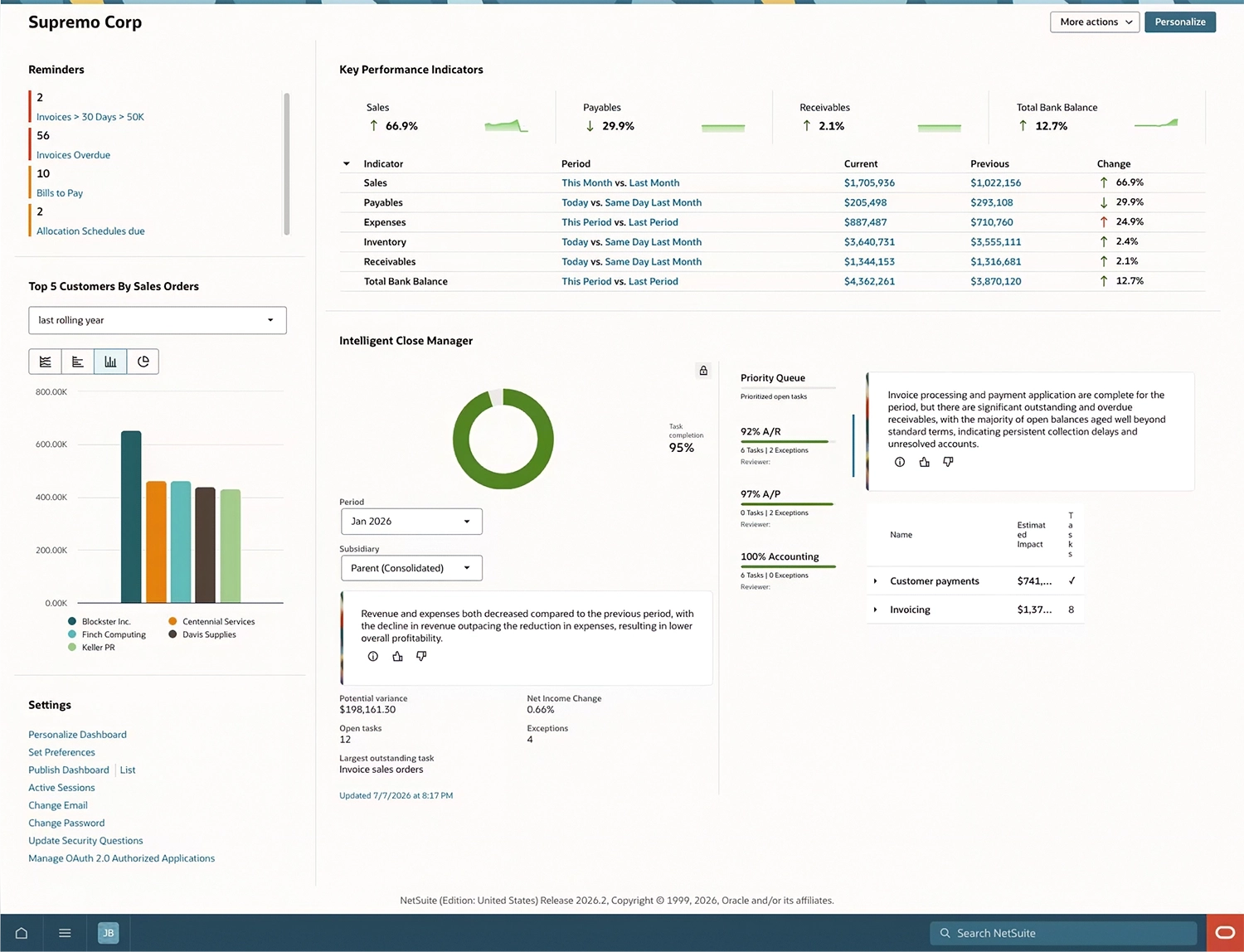
The central feature is Ask Oracle, a conversational assistant that answers questions about your data, generates reports, surfaces insights, and completes routine tasks from plain-language prompts. It works within the roles and permissions already configured in your account, and a Show Explanation option lets users see how an answer was produced.
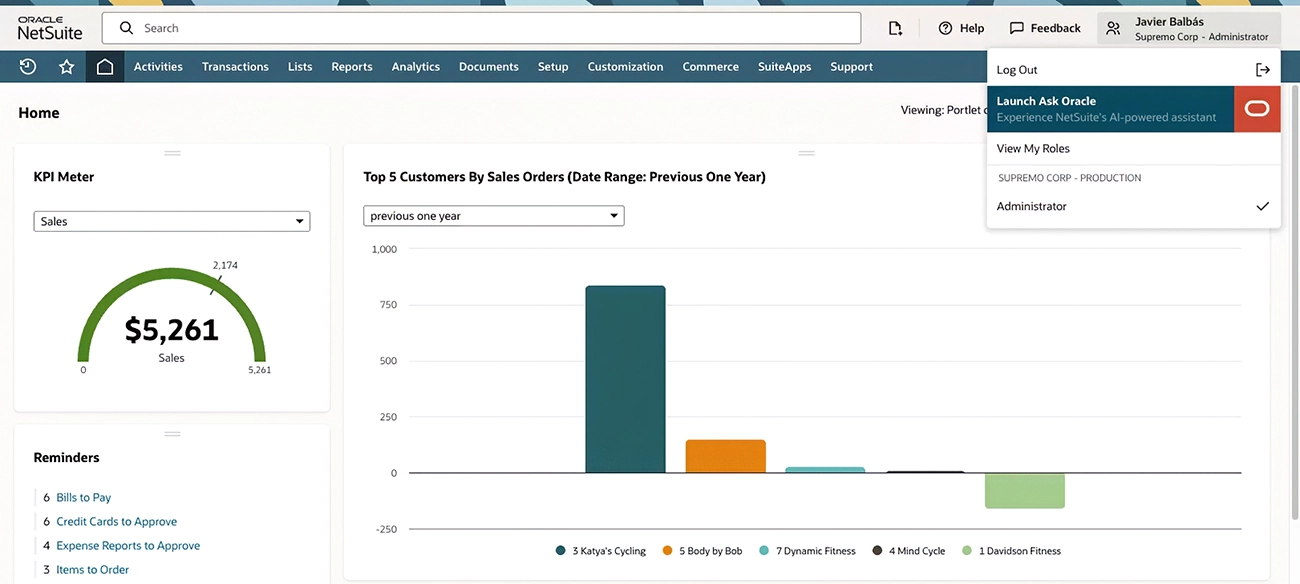
One point matters more than any other for UK and European customers. NetSuite Next is being made available in phases, and Oracle’s own release notes carry the caveat that these features may not yet be available in your account. At launch, NetSuite Next and Ask Oracle were available only in the United States and Canada, with additional countries to follow. If your account sits outside North America, you will receive the rest of 2026.2 on your scheduled date, but you cannot plan on Ask Oracle being available yet. Where it is launched, administrators get a Get Started with NetSuite Next page to explore it before switching anything on.
Where NetSuite Next is available, adoption is controlled by an administrator, who can either request a preview account or activate the new experience, granting access role by role. That makes a phased rollout straightforward: pilot with a small group, learn how people work with AI-generated answers, then widen access.
How to Prepare for the 2026.2 Upgrade
A practical checklist for finance leaders, IT owners, and whoever is running the upgrade.
- Find your date. Open the New Release portlet on your NetSuite dashboard. Everything else follows from it.
- Request a Release Preview account early. An administrator requests it from Setup > Company > Release Preview. The account takes roughly five to seven days to be created, and access ends on the day your production account is upgraded. Sandbox accounts are also upgraded ahead of production, with the date shown in the same portlet.
- Test by role. Finance for banking and close, operations for assemblies and bills of materials, developers for SuiteQL and integration endpoints, and reporting users for saved searches and exports.
- List the features you have not switched on. Decide which to pilot and which to leave alone for now, and record the decision.
- Contact your integration vendors two to four weeks before your date to confirm compatibility, and check your deployment tooling against the SuiteCloud CLI changes.
- Review your security settings while you are in there. A Very Strong password policy became available on 17 August 2026, requiring all four character groups, and can be set on the General Preferences page.
- Plan the first week after go-live. Circulate a short summary, share training links, and name the people who will handle questions.
FinanSys can support your 2026.2 readiness by reviewing your Release Preview, advising on which features to switch on or leave off, testing high-risk customisations, and supporting your team through the first weeks after the upgrade. Get in touch to arrange a readiness review.
Frequently Asked Questions
When will my NetSuite account be upgraded to 2026.2?
Oracle schedules upgrades by data centre and customer group, running from August into October 2026. Your exact date is shown in the New Release portlet on your dashboard, and Oracle also notifies customers by email.
Do I need to do anything to enable NetSuite Next and Ask Oracle?
The 2026.2 upgrade itself is automatic. NetSuite Next and Ask Oracle are activated by an administrator and granted by role, so they will not appear for your users unless you switch them on. Note that at launch they are available in the United States and Canada only. If your account is outside those countries, this is not yet a decision you need to make.
Will 2026.2 break my customisations or integrations?
Most accounts upgrade without incident. Testing in Release Preview and reviewing your scripts is the reliable way to find any problems before they arise.
How can FinanSys help?
We can review your specific configuration, run a release audit against it, recommend which 2026.2 features to adopt, support sandbox testing and remediation, and provide training and go-live support. Get in touch to arrange a 2026.2 readiness review.


